
GOM Tools for Shopify
Business Manager
Connect the store to your GOM Tools Business Manager account to credit WhatsApp sales to your campaigns.
On this page
GOM Tools Business Manager is GOM Network’s platform to manage sales, customers and campaigns. Connecting the store lets it read the app’s data and, with the GT-… code in each WhatsApp message, credit a sale closed over chat to its campaign.
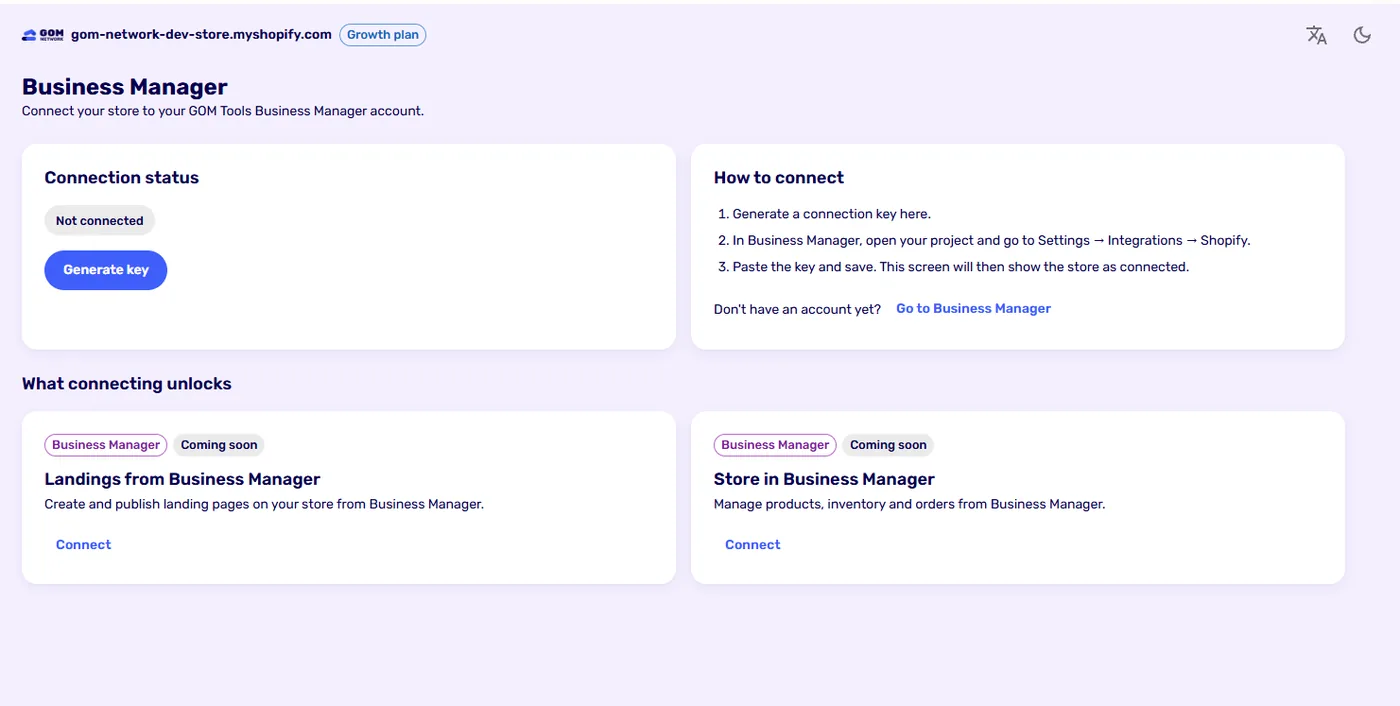
Connect#
- In the app, go to Business Manager and click Generate key. The key is shown only once: copy it.
- In Business Manager, open your project and go to Settings → Integrations → Shopify.
- Paste the key and save. The app will show the store as connected.
Generating another key invalidates the previous one. Disconnecting or uninstalling the app deletes it.
WhatsApp sales#
When a customer writes on WhatsApp, their message carries Ref: GT-XXXXXXXX (see the visit source). Business Manager reads it, asks the app which campaign that visit came from and, when the sale is recorded, credits it to that campaign, just like a store purchase.
Coming soon#
Connecting will unlock more modules: landing pages created from Business Manager and managing the store’s products, inventory and orders.
Didn't find what you were looking for? Write to us at info@gomnetwork.com.