
GOM Tools for Shopify
WhatsApp buttons, forms, contacts and the campaign behind every chat, contact and sale, for your Shopify store.
On this page
What you will find
- How to install the app and turn it on in your theme.
- How to create WhatsApp buttons, forms and tracking events.
- How to read your contacts, campaign attribution and reports.
- What each plan includes, how billing works and how data is handled.
Before you start
- A Shopify store with the Online Store and a theme that supports apps (every 2.0 theme, such as Dawn).
- Permission to install apps on the store.
- A WhatsApp number with its country code.
- To measure visits: Shopify's or your theme's cookie banner turned on.
- To send events: your Google Analytics, Google Ads or Meta tags, and the Growth plan or higher.
GOM Tools adds WhatsApp buttons and forms to your store without code, saves the contacts they bring in and tells you which channel and which campaign brought every chat, contact and sale. You use it from the Shopify admin, in English or Spanish.
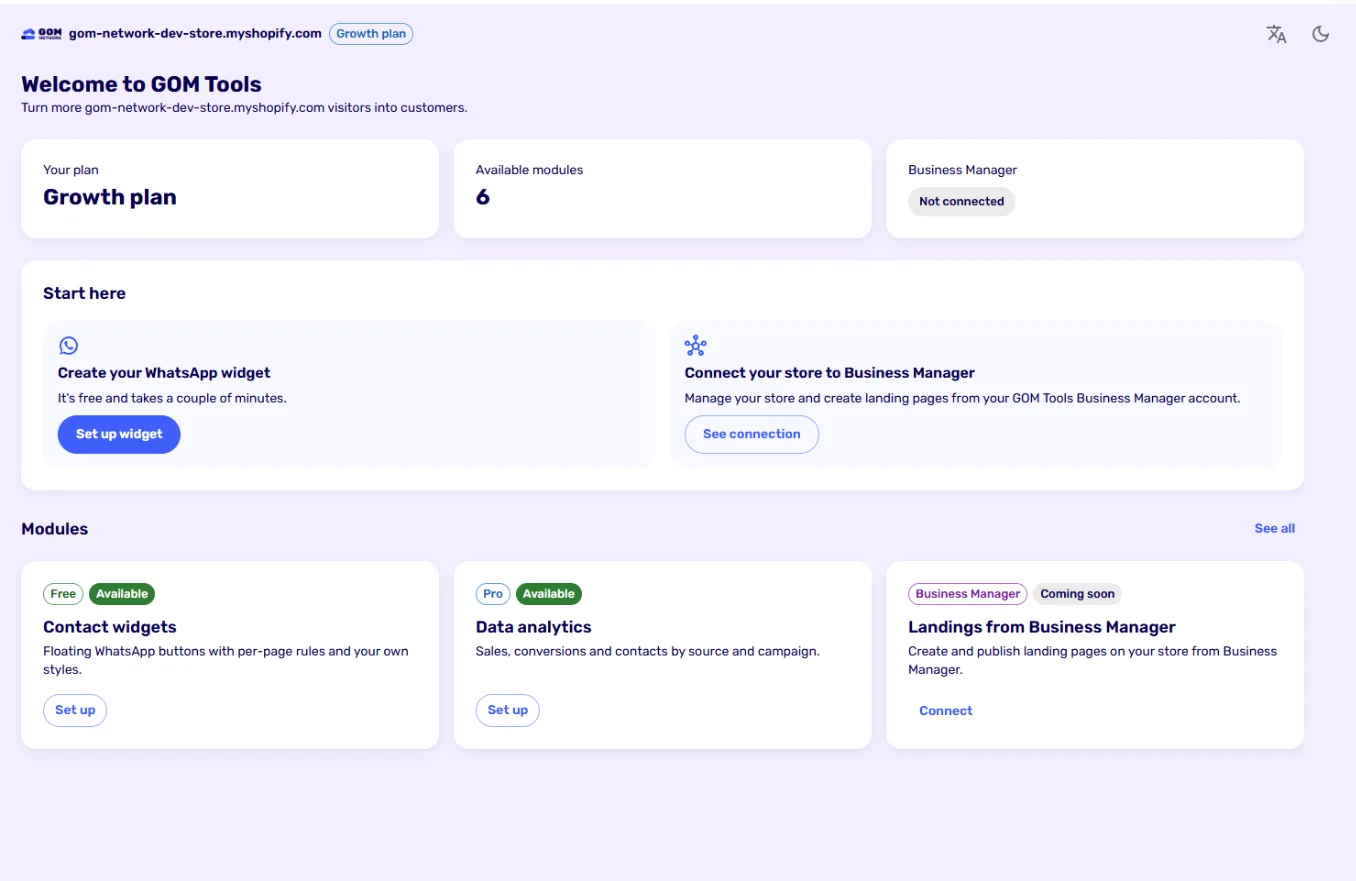
Modules#
| Module | What it does | Plan |
|---|---|---|
| WhatsApp widgets | Floating buttons with page rules, a welcome panel and your own styles. | All |
| Forms | Forms with your fields, spam filtering without captchas and email alerts. | All |
| Contacts | Every submission creates or updates a contact, stored encrypted and exportable to CSV. | All |
| Analytics and reports | Visits by channel and campaign, attribution across pages and assisted sales, in reports you build. | Reports on all plans; analytics from Growth |
| Tracking events | Send conversions to Google Analytics, Google Ads, Meta and Tag Manager. | From Growth |
| Business Manager | Connect the store to your GOM Tools Business Manager account. | All |
How it works#
- You set it up in the app. Create widgets, forms and events from the Shopify admin.
- Shopify publishes it on your store. When you save, the app places it in your store and the theme shows it. If the app ever had an outage, your buttons and forms would still show.
- You measure what happens. With each visitor’s consent, the app records where they came from, which pages they saw and whether they opened WhatsApp, sent a form or bought.
First time? Start with Installation and first steps: your WhatsApp button can be live in a few minutes.
Didn't find what you were looking for? Write to us at info@gomnetwork.com.